QR code wedding invitations that stay current.
Every published Pressed Love invitation comes with its own QR code. Print it on your cards, your save the dates or a welcome sign, and guests scan straight through to the full invitation: schedule, venue map, dress code and RSVP. Change a detail later and the same printed code still shows the current version.
Free to design · the QR code arrives when you publish, from €49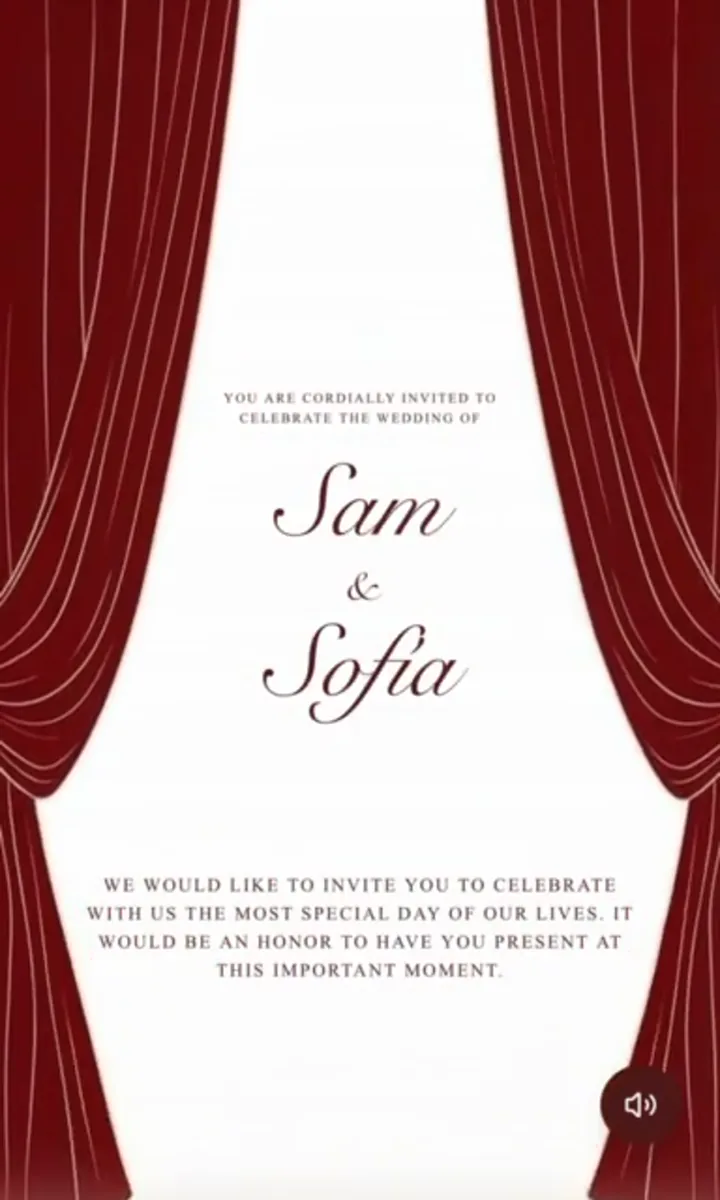
How a QR code wedding invitation works
A QR code is just a link in a form a phone camera can read. When you publish your invitation with Pressed Love, it gets a permanent web address — and the QR code is that address, encoded as a square you can print at any size.
The useful consequence is that the code is a pointer, not a copy. Nothing about your wedding is stored inside the square itself. Reprint nothing, reissue nothing: if the ceremony moves half an hour later in March, every card printed in January still resolves to the corrected schedule. That is the one thing printed details can never do, and it is why couples who send paper increasingly send paper plus a code.
Where to put the QR code
The strongest placement is a formally worded card that carries a small code near the foot, captioned with what it opens — “Scan for full details and RSVP”. The card keeps doing the ceremonial job of an invitation; the code absorbs the details card, the directions card and the reply envelope.
- On the invitation itself — replaces the separate details insert most stationery suites charge extra for.
- On a digital or printed save the date — guests can start planning travel before the full invitation exists.
- On a welcome sign at the venue — the running order, the seating plan and the evening schedule, without printing an order of service for everyone. Print this one large, 8 cm or more.
- On place cards or menus — links to the photo gallery after the day, so guests know where to send their pictures.
Printing a QR code that actually scans
Most QR failures are print problems, not code problems. Four rules cover almost all of them.
| Where it goes | Minimum size | Note |
|---|---|---|
| Invitation or save the date | 2 × 2 cm | Dashboard image is fine |
| Menu or place card | 1.5 × 1.5 cm | Regenerate at print size |
| Table or welcome sign | 8 × 8 cm | Regenerate at print size |
| Order of service board | 15 × 15 cm | Regenerate at print size |
- Keep the quiet zone. Leave blank space around all four edges — roughly the width of four of the code's own small squares. Scanners need that margin to find the code at all.
- Keep the contrast. Dark code on a light background. Cream, blush and pale sage are fine; a photograph, a dark foil or an inverted light-on-dark code are the three most common causes of a card that will not scan.
- Do not enlarge a small image. A raster QR code stretched past its native resolution softens at the edges and becomes unreliable to scan at distance. For signage, regenerate the code at the finished size from your invitation link.
- Test the real print, not the screen. Scan the actual proof, in the light the guests will be in, with more than one phone. This takes two minutes and is the only test that counts.
Collecting RSVPs from a scan
On Essential (€175) and Premium (€395), the page behind the code carries the RSVP form, so a scan and two taps is the whole reply. Responses — attendance, meal choices, dietary notes and plus-ones — arrive in your dashboard and feed the seating chart directly, so your tables always reflect who has actually confirmed.
Starter (€49) publishes the invitation and its QR code, which is the right choice if you are collecting replies by phone or in a group chat and just want one beautiful place to send people.
Is it appropriate for a formal wedding?
A code printed instead of an invitation can read as brusque. A code printed alongside a properly worded one reads as thoughtful — you have saved your guests a details card to lose, an address to mistype and a stamp to find. If you are unsure of the wording that carries this well, the wedding invitation wording guide has formal examples that pair naturally with a scan line, and the addressing guide covers the envelope those cards go into.
One safeguard is worth keeping: print the invitation link in small readable type beneath the code. Anyone whose camera misbehaves can still type it, and guests who prefer a message can be sent the same link directly over WhatsApp.
What it costs
Nothing beyond the invitation. The QR code is generated on publish for every plan, with no per-scan fee, no expiry and no separate QR subscription — a category of product that exists mainly because most invitation tools do not include this. Pressed Love is a one-time payment: €49, €175 or €395, with lifetime access to the published invitation and its code.
Designing and previewing are free. You can build the whole invitation, see exactly how it looks in any of 29 languages (publishing in several languages takes Essential or Premium), and only pay when you publish — which is also the moment the QR code appears. Start at /create, or browse the template gallery first.
QR code questions
Can you put a QR code on a wedding invitation?
Yes. A QR code on a wedding invitation is simply a scannable version of your invitation link. Guests point a phone camera at it and the full invitation opens — schedule, venue map, dress code and the RSVP form. It works on printed cards, save the dates, welcome signs and order-of-service booklets, and it means you can put one small square on paper instead of trying to fit every detail on the card.
How do I create a QR code for my wedding invitation?
With Pressed Love the QR code is generated for you the moment your invitation is published — there is no separate QR generator to sign up for. Open your dashboard, publish the invitation, and save the QR code image. Every plan from Starter (€49) upwards includes it. It encodes your invitation link, so if your stationer needs a specific size or format for a large print run, any QR generator can produce one from that same link.
Does the QR code still work if I change the wedding details?
Yes. The QR code points at your invitation URL, not at a snapshot of its contents, so the code printed on your cards never needs to change. Update the start time, move the venue or add a shuttle bus, and every guest who scans — before or after the change — sees the current version. This is the main practical advantage over printing details directly onto the card.
What size should a wedding invitation QR code be printed?
Print it at a minimum of 2 x 2 cm (about 0.8 inches) for a handheld card, and 8 x 8 cm or larger for a welcome sign that guests scan from a metre away. Keep a clear quiet zone — blank space roughly the width of four QR modules — around all four edges, and avoid printing it on a busy photograph. For anything much larger than a card, have your printer regenerate the code from your invitation link at the size they need rather than enlarging a small image.
Can guests RSVP by scanning the QR code?
Yes, on Essential (€175) and Premium (€395), which include RSVP tracking. Scanning opens the invitation with the RSVP form built in, and replies land in your dashboard. Starter (€49) publishes the invitation and the QR code but does not include RSVP collection.
Is a QR code wedding invitation too informal?
It depends where you put it. A QR code as the entire invitation can feel abrupt for a formal wedding. A traditionally worded card that carries a small QR code for "full details and RSVP" reads as considerate rather than casual — it keeps the formal object your guests receive while sparing them a separate details card, a website address to type, and a stamped reply envelope.
Do older guests struggle with QR codes?
Far less than they used to — modern phone cameras scan QR codes on their own, with no app to install. The practical safeguard is not to rely on the code alone: print the invitation link in readable text beneath it, and send the same link directly by WhatsApp or SMS to guests you know prefer that. The QR code should be one route in, never the only one.
Can I use one QR code for the whole wedding?
Yes — one public link and one QR code can serve every guest, and that is what most couples print. If you want per-guest personalisation instead, Essential and Premium generate a personal link for each guest so their RSVP arrives already attached to their name and plus-one allowance. Those personal links are for sending digitally; the printed QR code stays the shared one.